













Rocket Casino Mobile — Official iOS and Android App
Rocket Casino Mobile: Gaming on the Go in 2026
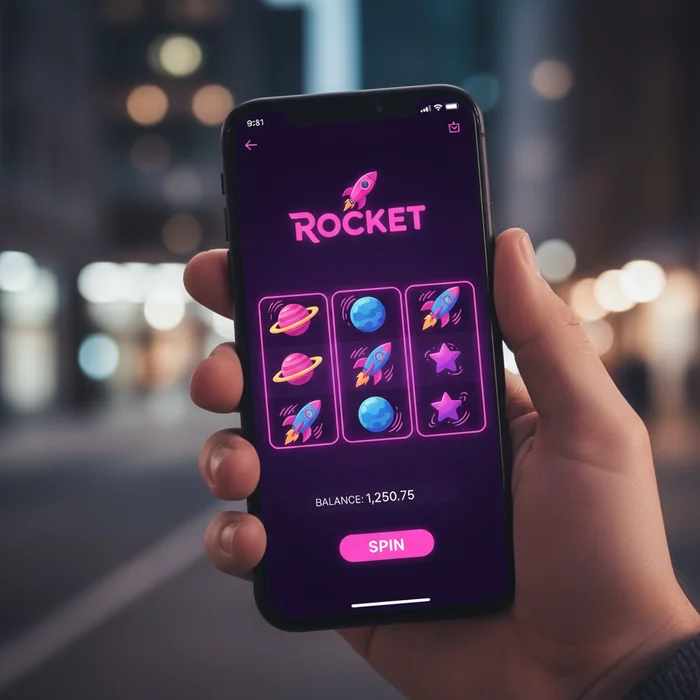
You might assume the Rocket app is just a scaled-down version of the desktop site — a compromise you make when you're away from your computer. That assumption is completely wrong. The Rocket Casino mobile experience is a full-featured platform built from the ground up for touchscreens, fast connections, and players who expect the same quality whether they're on the couch or commuting.
Everything you'd do on desktop — claim bonuses, earn loyalty points, move up VIP tiers, manage withdrawals, and contact your dedicated account manager — is available directly from your phone. We've designed the mobile interface so that no feature gets left behind. Whether you're on iOS or Android, the platform adapts cleanly to your screen, your pace, and your preferences.
Platform Compatibility at a Glance
| Platform | Minimum Version | Download | App Size |
|---|---|---|---|
| iOS (iPhone & iPad) | iOS 13.0 or later | App Store | ~85 MB |
| Android | Android 8.0 (Oreo) or later | APK direct download | ~72 MB |
| Windows (desktop browser) | Windows 10 or later | No download required | N/A |
| Mobile Browser | Any modern browser (Chrome, Safari, Firefox) | No download required | N/A |
| Tablet (iOS & Android) | Same as respective OS above | Same as respective OS above | ~85–90 MB |
How to Get the Rocket Casino App
iOS Download
- Open the App Store on your iPhone or iPad and search for "Rocket Casino."
- Tap the official listing and select Get to begin the installation — it typically takes under two minutes on a standard connection.
- Once installed, open the app and tap sign in if you already have an account, or head to the signup page to register.
- Enable push notifications during setup so you never miss a VIP promotion, exclusive tournament invite, or loyalty tier milestone alert.
Android Download
- Visit our app page directly from your Android browser — the Rocket Casino Android APK is not currently listed on the Google Play Store, so you'll download it directly from us.
- Before installing, go to your device's Settings > Security and enable Install from Unknown Sources (or "Allow from this source" on Android 10+).
- Tap the downloaded APK file to begin installation — the process takes roughly 30 to 60 seconds depending on your device.
- Open the app, log in or create your account, and you're ready to start earning loyalty points from your very first session.
What the App Delivers for VIP Players
Games on Mobile
Our mobile library covers every major category you'd expect: slots, live dealer tables, table games, crash titles, and specialty games. The collection is fully optimised for touch interaction — swipe to spin, tap to deal, pinch to zoom on live table views. You're not playing a watered-down version; you're playing the same certified titles with the same RTP values as desktop.
Three titles that consistently rank among our most-played on mobile are Gates of Olympus (Pragmatic Play), Lightning Roulette (Evolution), and Aviator (Spribe). Each loads quickly, renders sharply on both OLED and LCD screens, and handles touch input without lag. For VIP players, live dealer tables are particularly well-suited to mobile — you can follow the action, chat with the dealer, and place bets all from a single clean interface.
Tablet players get an enhanced layout that takes advantage of the larger screen real estate. Multi-camera live table views, expanded game grids, and side-by-side bonus tracking make the tablet experience feel closer to desktop than to a standard phone session.
Mobile Bonuses and VIP Loyalty on the Go
Here's the thing about our bonus structure on mobile: you don't lose a single perk by switching devices. Every welcome offer, reload bonus, cashback deal, and loyalty reward available on desktop is fully accessible through the app. Your points accumulate at the same rate regardless of where you play — one loyalty point per qualifying wager, with conversion rates that improve as you climb through our VIP tiers.
Our VIP programme runs across five tiers — Bronze, Silver, Gold, Platinum, and Diamond. Moving from Bronze to Silver requires reaching a set points threshold within your qualifying period; Diamond status is invitation-only and comes with perks that simply aren't available anywhere else: a dedicated personal account manager reachable directly through the app, priority withdrawal processing, and invitations to exclusive seasonal tournaments with prize pools reserved for top-tier members.
One Rocket Casino mobile bonus worth highlighting specifically: VIP players at Gold tier and above receive push notifications for flash promotions — short-window offers that are often not advertised on the main site. Being on the app means you catch these before they expire. It's a genuine advantage that desktop-only players frequently miss.
Banking on Mobile
Managing your funds from your phone is straightforward and secure. Deposits process instantly for most methods, and our withdrawal pipeline for VIP players is prioritised — Diamond and Platinum members typically see funds cleared faster than standard processing windows. You can initiate, track, and confirm transactions entirely within the app without needing to switch to a browser.
Supported payment methods accessible through mobile include Visa, Mastercard, PayID, POLi, Neosurf, and several leading e-wallets. Cryptocurrency options are available for players who prefer that route. All transactions use the same encryption layer as our desktop platform — there's no security trade-off for the convenience of banking on your phone.
VIP withdrawal limits are elevated compared to standard accounts and are managed directly through your account manager relationship. If you're at Platinum or Diamond tier, your manager can coordinate higher single-transaction limits on request — something you can arrange entirely through the in-app messaging channel.
Mobile vs Desktop: How They Stack Up
Game selection is effectively identical across both platforms. The full catalogue — including live dealer rooms, slots, and crash games — is available on mobile. The one practical difference is that certain older Flash-based titles (a very small number) don't render on mobile browsers, but all current HTML5 titles work without issue.
Graphics and visual quality depend more on your device than the platform itself. On a current-generation iPhone or flagship Android, live dealer streams and slot animations are crisp and fluid. Desktop with a large monitor naturally offers a bigger canvas, but the quality ceiling on mobile in 2026 is genuinely impressive. Speed follows a similar pattern — on a solid Wi-Fi or 5G connection, load times between the app and desktop are negligible.
Notifications are where mobile holds a clear edge. Push alerts for VIP flash promos, loyalty tier upgrades, birthday bonus activations, and tournament start times reach you instantly on your phone — desktop players relying on email miss the immediacy. Bonuses are equal across devices, as noted above. Payment methods are fully mirrored. Live chat support is available in-app with the same response times as desktop, and VIP members at Gold tier and above have a dedicated support channel that bypasses the standard queue entirely.
Performance, Speed, and Getting the Most from Mobile
Loading Speed and Data Usage
The Rocket Casino mobile app is optimised to load the lobby in under three seconds on a standard 4G connection. Live dealer streams are the most data-intensive element — expect roughly 200–300 MB per hour for HD streams. Slot sessions use considerably less. If you're on a limited data plan, switching live dealer streams to standard definition (available in the player settings) brings data consumption down meaningfully without a noticeable drop in playability.
Offline Features and Push Notifications
Real-money gameplay requires an active connection — that's non-negotiable for security and fairness reasons. What you can do offline is browse your account history, review your loyalty point balance, check your current VIP tier progress, and read any messages from your account manager. Push notifications work independently of whether the app is open, so you'll still receive VIP alerts even when the app is running in the background.
Battery and Device Optimisation
Live dealer sessions are the most demanding on your battery. A few practical habits help: reduce screen brightness slightly, close background apps before a long session, and keep your device plugged in if you're playing for an extended period. The app itself doesn't run unnecessary background processes — it's designed to be resource-efficient when idle.
Ready to Play? Start Here
Gaming on the go doesn't mean settling for less — not on our platform. Whether you're climbing through VIP tiers, chasing a flash bonus alert, or sitting down for a live roulette session from wherever you happen to be, the mobile experience we've built holds up at every level. Download the app, enable your notifications, and let your loyalty points accumulate whether you're at home or on the move.
New to the platform? Create your account here and your VIP journey starts from your very first session — points begin accumulating immediately, and Bronze tier benefits kick in right away. Already a member? Log back in and pick up exactly where you left off. However you choose to play — app, browser, phone, or tablet — Rocket Casino is ready when you are.
Frequently Asked Questions
Is there a Rocket Casino app I can download on my phone?
Rocket Casino does not require a dedicated downloadable app because the platform is fully optimised as a mobile browser experience accessible at rocketcasinoau.net. You can open the site on any modern smartphone browser such as Safari or Chrome and receive a near-identical experience to a native app, including fast load times and touch-friendly navigation. For quick access, you can save the site to your home screen in just a few taps, which creates a shortcut that functions much like an installed app icon.
Does Rocket Casino work on both iPhone and Android devices?
Yes, the Rocket Casino mobile platform is fully compatible with both iOS and Android devices, supporting iPhones running iOS 13 or later and Android smartphones running Android 8.0 or above. The mobile site automatically adjusts its layout to fit your screen size, so whether you are using a budget Android handset or the latest iPhone model, gameplay and account management remain smooth and responsive. No additional software or updates need to be installed since the experience runs entirely through your browser.
How do I add Rocket Casino to my home screen on iPhone or Android?
On an iPhone, open rocketcasinoau.net in Safari, tap the Share icon at the bottom of the screen, then select "Add to Home Screen" and confirm by tapping "Add" in the top right corner. On Android using Chrome, tap the three-dot menu in the top right corner, choose "Add to Home screen," and then tap "Add" when prompted. The shortcut appears on your home screen within seconds and launches the casino directly without needing to type the address each time.
Can I play real money pokies and casino games on the Rocket Casino mobile site?
Yes, the full real money game library is available on mobile, including hundreds of pokies, live dealer tables, blackjack, and roulette, all accessible directly from your smartphone browser. Deposits, withdrawals, and bonus claims can all be completed within the mobile interface without needing to switch to a desktop. Game sessions are secured with the same SSL encryption used on the desktop version, so your financial and personal data remains protected during every mobile session.
Why can't I find the Rocket Casino app on the App Store or Google Play?
Due to restrictions placed on real money gambling applications by both the Apple App Store and Google Play Store in Australia, Rocket Casino operates as a mobile-optimised website rather than a downloadable app listed on those platforms. This means you will not find it by searching the App Store or Google Play, but you can access the full mobile experience instantly by visiting rocketcasinoau.net in any smartphone browser. This approach also means you never need to wait for app updates, as any improvements to the platform are applied automatically the next time you visit the site.